


Spingreen mobile – how to play from your phone
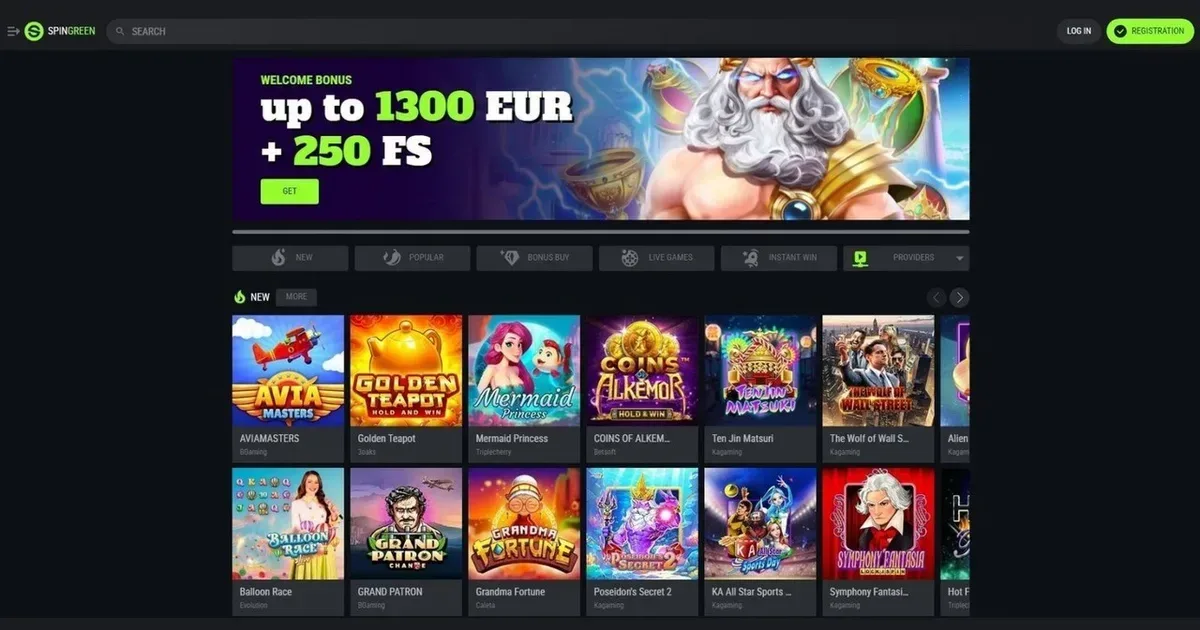
















Spingreen runs entirely in your mobile browser, with no native app to install. You reach the same casino and sportsbook from a phone or tablet as you do from a desktop, using the same login and the same account balance. The site detects your screen size and adjusts the layout automatically.
That browser-based approach means compatibility across iOS, Android and any other platform with a modern browser. You do not wait for an app store approval, and updates happen server-side without anything to download.
Before you play on mobile
Three checks worth making before you open a session on a phone:
- Secure connection – avoid public Wi-Fi without a VPN. The cashier and verification pages handle payment details and identity documents.
- The operator's own address – type spingreen.casino into your browser rather than following a saved link. Phishing sites targeting mobile users are common.
- Deposit limits set beforehand – a device you carry everywhere makes impulse deposits easier. Setting a daily or weekly cap through your account before the session keeps spending predictable.
Signing out after each session matters more on a phone than on a computer at home, particularly on a device anyone else can pick up. The cashier stays accessible while you are logged in, with no second password.
How access works at Spingreen
Getting to the casino from a mobile device takes three steps:
- Open your phone's browser – Safari, Chrome, Firefox or Edge all work.
- Navigate to the operator's site and log in with the same email and password you use on desktop. If you have not yet registered, the sign-up form works the same way on a phone.
- The homepage appears in a vertical layout, with games, the cashier and support all reachable from the menu icon at the top.
Your account balance, loyalty points and active bonuses carry over automatically. A game paused on desktop can be resumed on a phone, and vice versa.
The site stores your login in the browser's memory, so you stay signed in until you close the tab or log out deliberately. That convenience has a cost: anyone with access to your unlocked phone can reach your account. Logging out before putting the device down is the simplest control.
The cashier and support on a phone
Deposits and withdrawals are both available through the mobile site. The cashier lists the same payment methods as the desktop version, with the same limits:
| Method | Minimum deposit | Maximum deposit |
|---|---|---|
| Visa / Mastercard | €15 | €2,000 |
| Skrill | €10 | €2,000 |
| Bitcoin | $25 | $10,000 |
| USDT TRC20 | $10 | $10,000 |
| PIX | R$10 | R$4,999 |
The minimum withdrawal is €10 or the equivalent in your account currency. Withdrawals unlock only after you have wagered deposited funds three times over; failing that threshold allows the operator to deduct a 20% fee, with a floor of €4. That rule applies equally on mobile and desktop.
Support is reachable at [email protected]. The contact form works on a phone, though typing a detailed query on a small keyboard takes longer than on a computer. Response time is the same regardless of where you send the message from.
What a player can do from a phone
The mobile site carries the full game library – slots, live dealer tables, instant games and sports betting all load in the browser. A game that works on desktop will work on a phone, provided the screen size is at least that of a standard smartphone; anything smaller struggles with live dealer interfaces.
Verification documents can be uploaded directly from the cashier. The KYC process asks for a government-issued photo ID, a selfie holding that document, and a bank statement or utility bill. A phone's camera handles the selfie and can photograph the other documents; scanning is not required.
Loyalty points accrue at the same rate on mobile as on desktop: 1 point per €1 / $1 / 4 PLN wagered. The ten-level ladder and the cashback programme both function identically across devices.
Games on a small screen
Slots adapt well to vertical layouts. The reels stack naturally, and touch controls replace mouse clicks without friction. Live dealer games are more constrained: the video feed, the chat panel and the betting interface all compete for space, and older tables with dense control panels become cramped on screens under six inches.
Table games – roulette, blackjack, baccarat – sit somewhere between. A roulette table rendered for desktop can be difficult to navigate on a phone; tapping the correct number among sixty-odd chips takes precision. Blackjack and baccarat, with simpler layouts, translate better.
What gets cramped on a small screen
Three areas where mobile falls short of the desktop experience:
- Multi-table live dealer sessions – watching two or three tables at once is practical on a monitor; on a phone you pick one and ignore the rest.
- Bonus terms buried in scrolling text – a wagering table that fits on one desktop screen can require a dozen swipes on a phone. Reading the full terms before claiming an offer takes more patience.
- The account history – filtering transactions by date or type works, but the narrow layout shows fewer rows at a time, so finding a specific deposit from two weeks ago means more scrolling.
Battery drain is another practical limit. An hour of live dealer play with video streaming can consume 20–30% of a full charge. Slots are lighter, but a long session still outlasts many phones without a charger nearby.
Staying in control on a device you always carry
The combination of a casino in your pocket and a payment method saved in the cashier removes most friction from depositing. That speed is useful when you want it and dangerous when you do not.
Our deposit limits – daily, weekly or monthly caps set through your account – work the same way on mobile as on desktop. Once the limit is in place, the cashier refuses further deposits until the period resets, regardless of which device you use.
Self-exclusion can be set for spans between one day and forever. The shorter options – one day, one week, two weeks – are practical tools for stepping back without committing to a multi-month ban. Activation is immediate, and reversal before the period ends is not possible.
A phone shared with others in a household needs its own consideration. Parental control software such as Net Nanny or Qustodio can block gambling sites at the device level. The operator's own controls stop a logged-in user from depositing, but they do nothing to prevent a minor from reaching the site if the browser is already open.
Responsible play
Gambling should be entertainment, not a source of income or a way to recover losses. If a session on mobile feels compulsive rather than enjoyable, free and confidential support is available through BeGambleAware and the National Gambling Helpline at 0808 8020 133, open around the clock.
GamStop is a free national self-exclusion scheme covering all UK-licensed operators. Signing up blocks access to those sites for a minimum of six months. Gamban and BetBlocker are blocking apps that work across devices, including phones, and prevent access to gambling sites even when self-control falters.
Access to this site is restricted to persons aged 18 and over (18+). For free, confidential support with gambling, visit BeGambleAware.org.
Last updated:
Frequently asked questions
Can I play Spingreen games on my phone without downloading anything?
Yes. Spingreen runs entirely in your mobile browser, with no app to install. Open the site in Safari, Chrome or any other browser, log in with your usual details, and the full game library loads directly.
Does the mobile cashier accept the same payment methods as the desktop version?
It does. The same deposit and withdrawal options are available on a phone, with the same limits. The minimum deposit is €10 for most methods, and the minimum withdrawal is €10 or equivalent.
Can I upload verification documents from my phone?
You can. The KYC process accepts documents uploaded directly from the mobile cashier. Use your phone's camera to photograph your ID, take the required selfie, and upload a bank statement or utility bill.
Do loyalty points and bonuses work the same way on mobile?
They do. Points accrue at the same rate on a phone as on desktop, and active bonuses carry over automatically. Your account balance and loyalty level stay synchronised across all devices.
Game Providers